Overview
Modules and Audiences let you serve different challenge content to different participants on the same CTFd instance.
- A Module is a group of challenges.
- An Audience is a group of participants (users or teams).
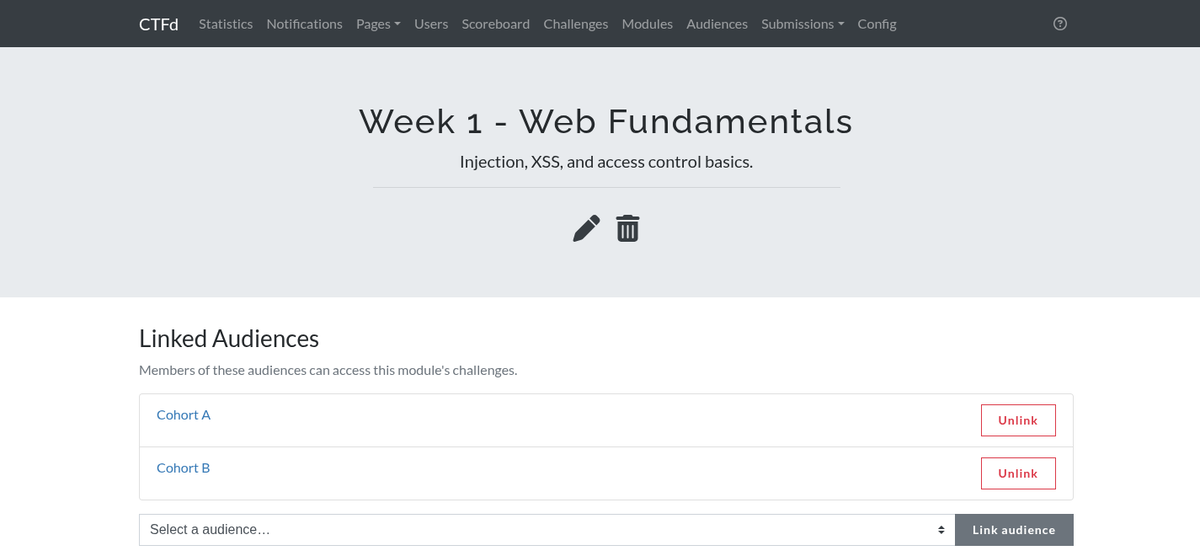
- Linking an audience to a module grants that audience's members access to the module's challenges.
This is useful when one instance hosts several classes, teams, or difficulty tracks and each should only see its own material - without standing up a separate CTFd instance for each.
- A challenge belongs to only one module.
- A module can be linked to multiple audiences.
- An audience can be linked to multiple modules.
- A participant can be a member of multiple audiences.
A participant can access a challenge if either of these is true:
- The challenge is not in a module at all, or
- The challenge is in a module linked to at least one audience the participant belongs to.
Challenges without a module remain visible to everyone, subject to its usual visibility, timing, and requirement rules. Modules are opt-in: until you assign a challenge to a module, nothing about it changes.
Quick start
- Go to Admin Panel → Modules and create a module, for example
Week 1. - Go to Admin Panel → Audiences and create an audience, for example
Class A. - On the audience page, add the users (or teams, in team mode) that belong to it.
- On the audience page, link the
Week 1module - or do the reverse from the module page. - On the module page, add the challenges that belong to
Week 1.
Members of Class A now see the Week 1 challenges. Everyone else does not.
See Modules and Audiences for the full detail on each.
Visibility
Modules and audiences can only take access away. They never grant access that other settings deny.
Every other CTFd visibility control is applied first. If a challenge is already unavailable to a participant for any other reason, putting it in a module they can access does not make it available.
In practice:
- A hidden challenge is still hidden from audience members. Setting a challenge's state to Hidden removes it for every non-admin, including members of an audience linked to its module. To release a challenge to an audience, its state must be Visible.
- Before the CTF starts, audience members see nothing. Start Time and End Time gate all challenge content ahead of module checks. Audience membership does not grant early access.
- A scheduled challenge stays scheduled for audience members.
Scheduled Atand module access are independent gates and both must pass. A challenge scheduled for next Monday will not appear for an audience member until next Monday. - Challenge Visibility set to Admins Only hides everything, modules included.
Unauthenticated visitors
A logged-out visitor is not a member of any audience, so they can only ever see challenges that are not in a module. If your Challenge Visibility is Public, module challenges still stay hidden until someone logs in as a member of a linked audience.