How to Switch Tiers
You are free to switch tiers at any time. To switch tiers, use the following instructions:
Go to https://cloud.ctfd.io/admin to see all Hosted CTFd instances you have deployed
Click the Settings gear icon next to your instance to open the instance settings
Click the Tier tab
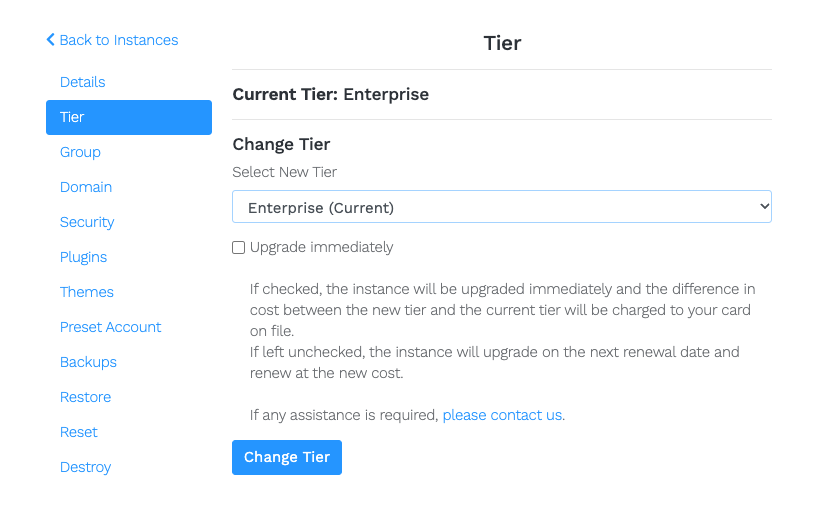
Select your desired tier from the Select New Tier dropdown
Optionally, check Upgrade immediately
- If checked, the instance is upgraded immediately. The difference in cost between the new tier and the current tier is charged to your card on file.
- If left unchecked, the instance upgrades on the next renewal date and renews at the new cost.
Click the Change Tier button
You do not need to do anything to your CTFd instance. Once the upgrade or downgrade is processed, your CTFd instance will be automatically switched to your desired tier.
If you need help, contact us.
To know about how billing works for switching tiers, check out Billing for Switching Tiers.